A new premium content management feature for TIND DA, IR, RDM and ILS. Easily create and brand your front page, collection pages, exhibits and journal pages yourself, with pages that stay connected to your live archive, repository and collections.
Showcase your collections and repository the way you want
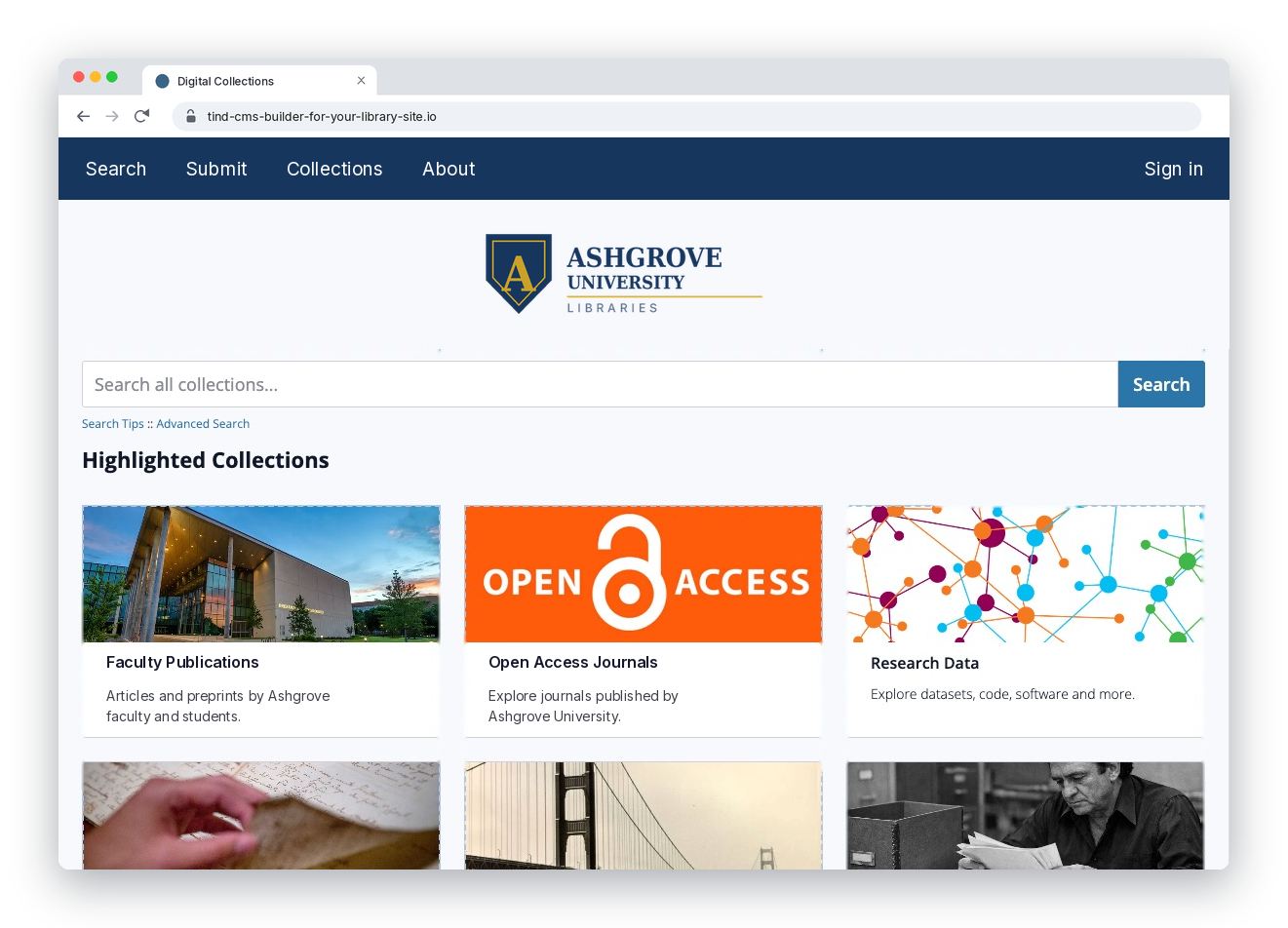
Design a front page that welcomes visitors in your usual style
Your TIND site front page is the first thing your patrons see. Customize the look and feel exactly how you want, without the need for coding or a support ticket, and easily refresh sections to highlight a new semester or for research week:
Control your header links and navigation
Feature your best collections with image cards
Put search front and center for every visitor
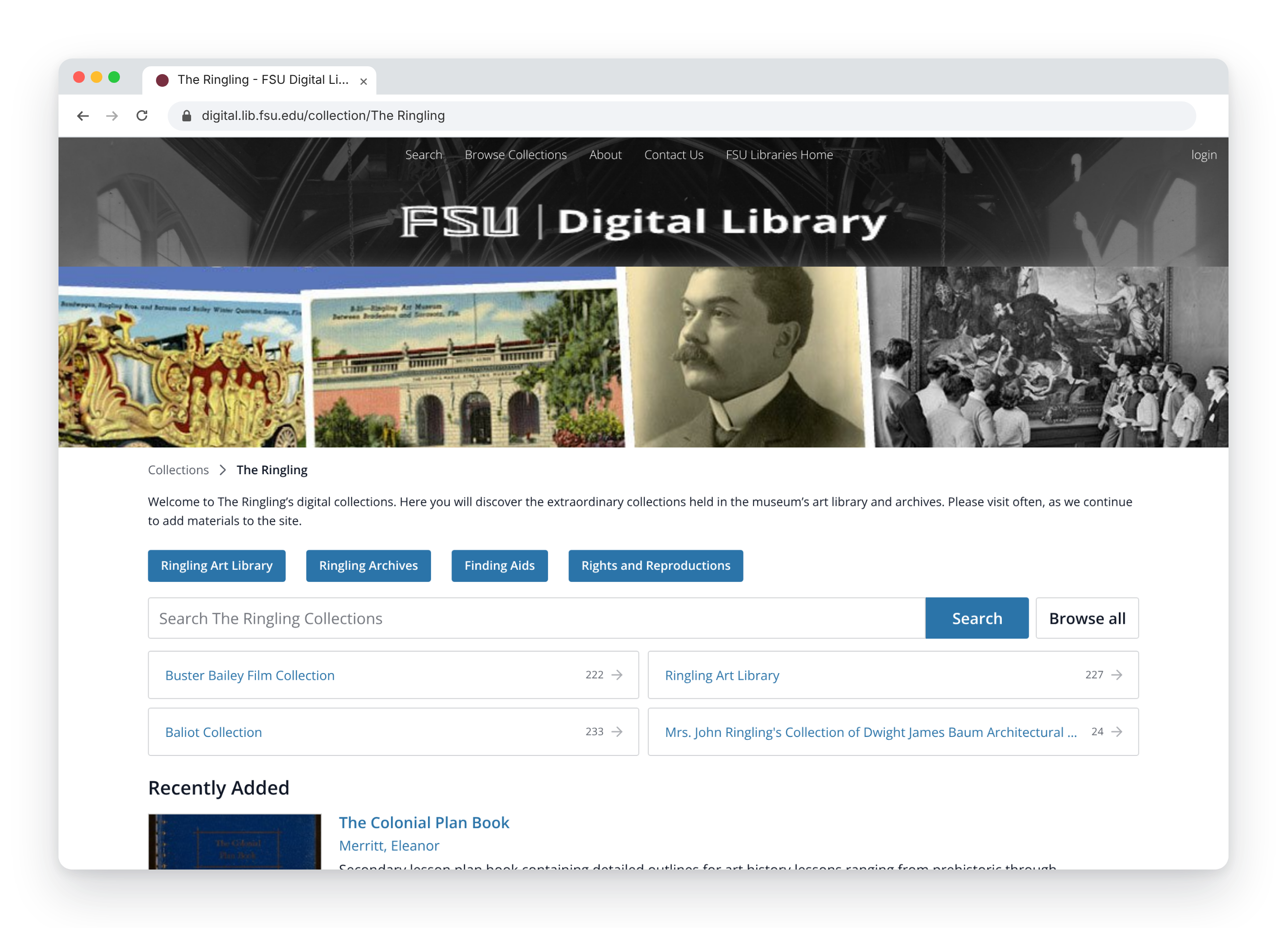
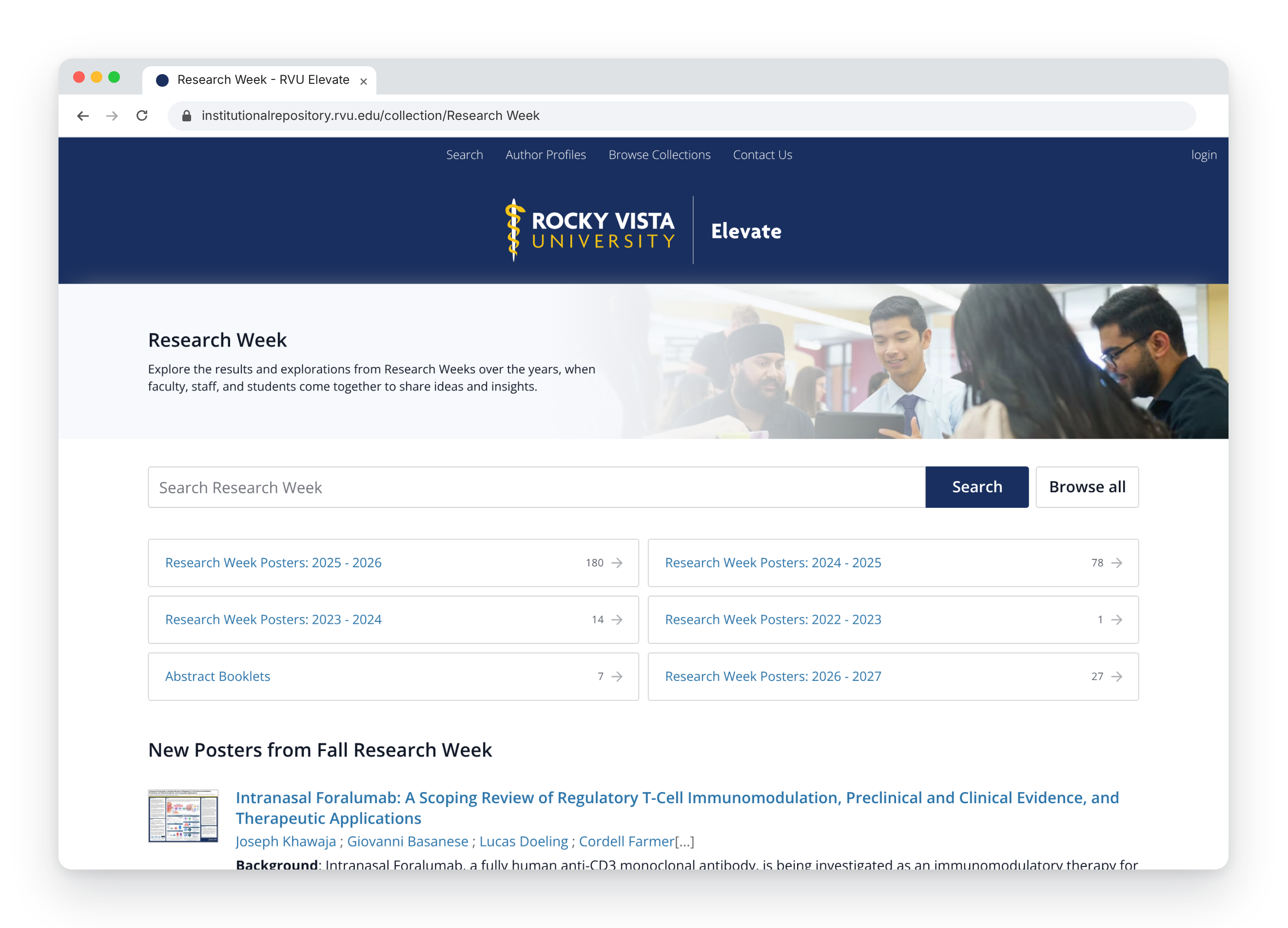
Give every collectionits own identity
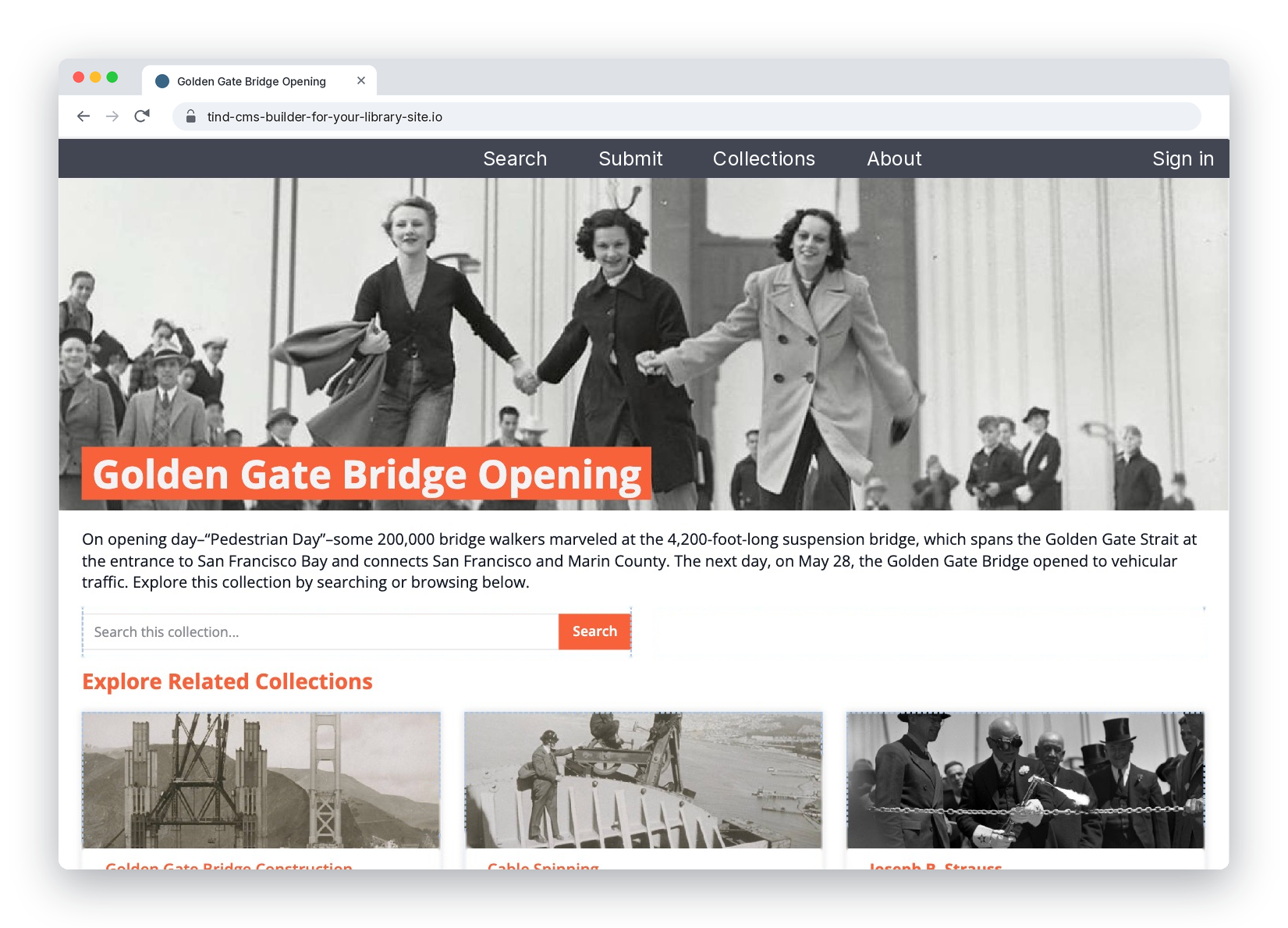
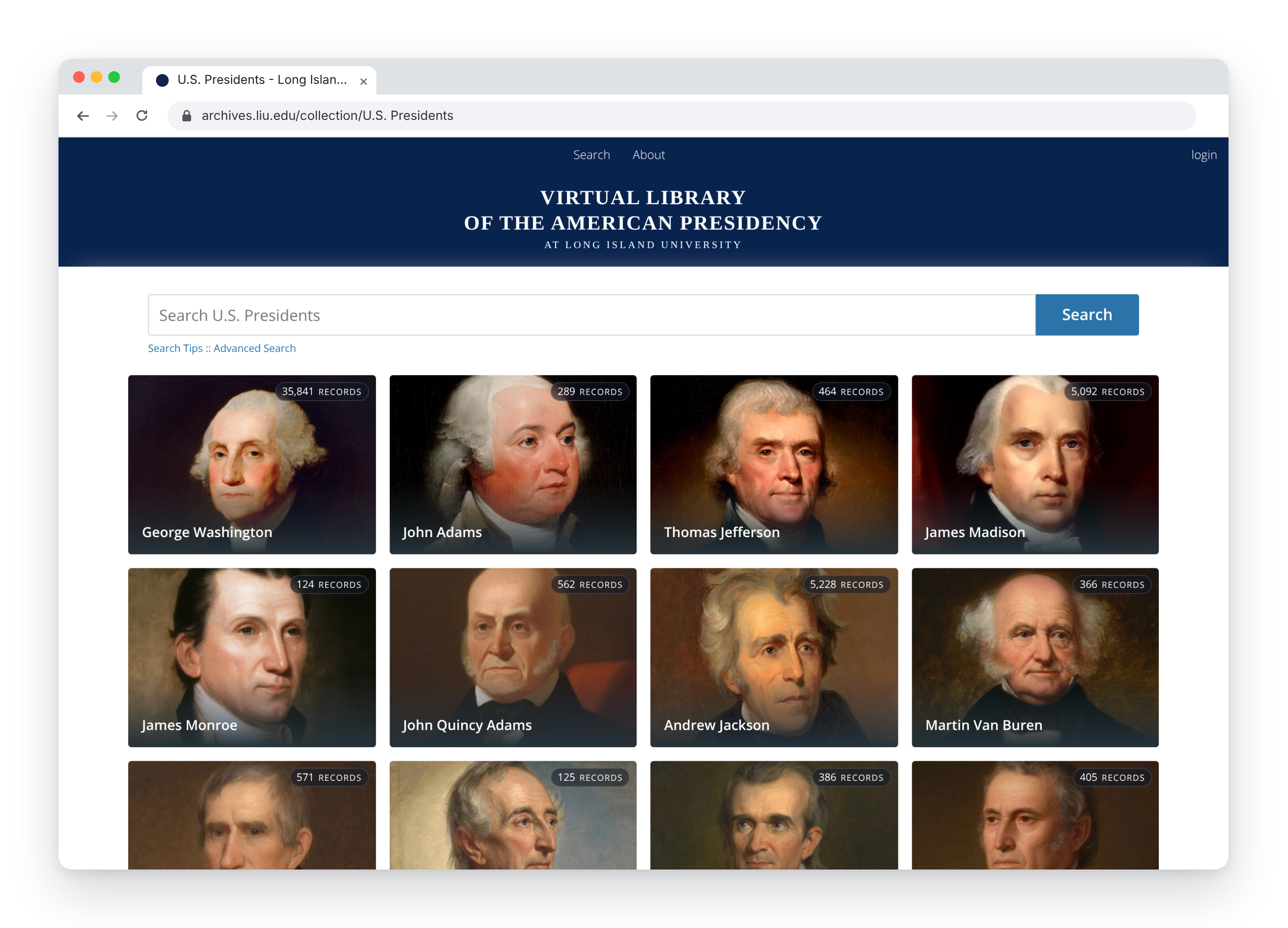
With TIND CMS you can create custom branding for your different collections to give users a unique and recognizable landing page and entryway to search collections so they know what they're about to explore:
Add a banner or full landing page for any collection
Minimize or remove your site-wide header so the collection's branding takes center stage
Sub-collections and your latest records are listed automatically
Curate engaging digital exhibits that tell the story behind your content
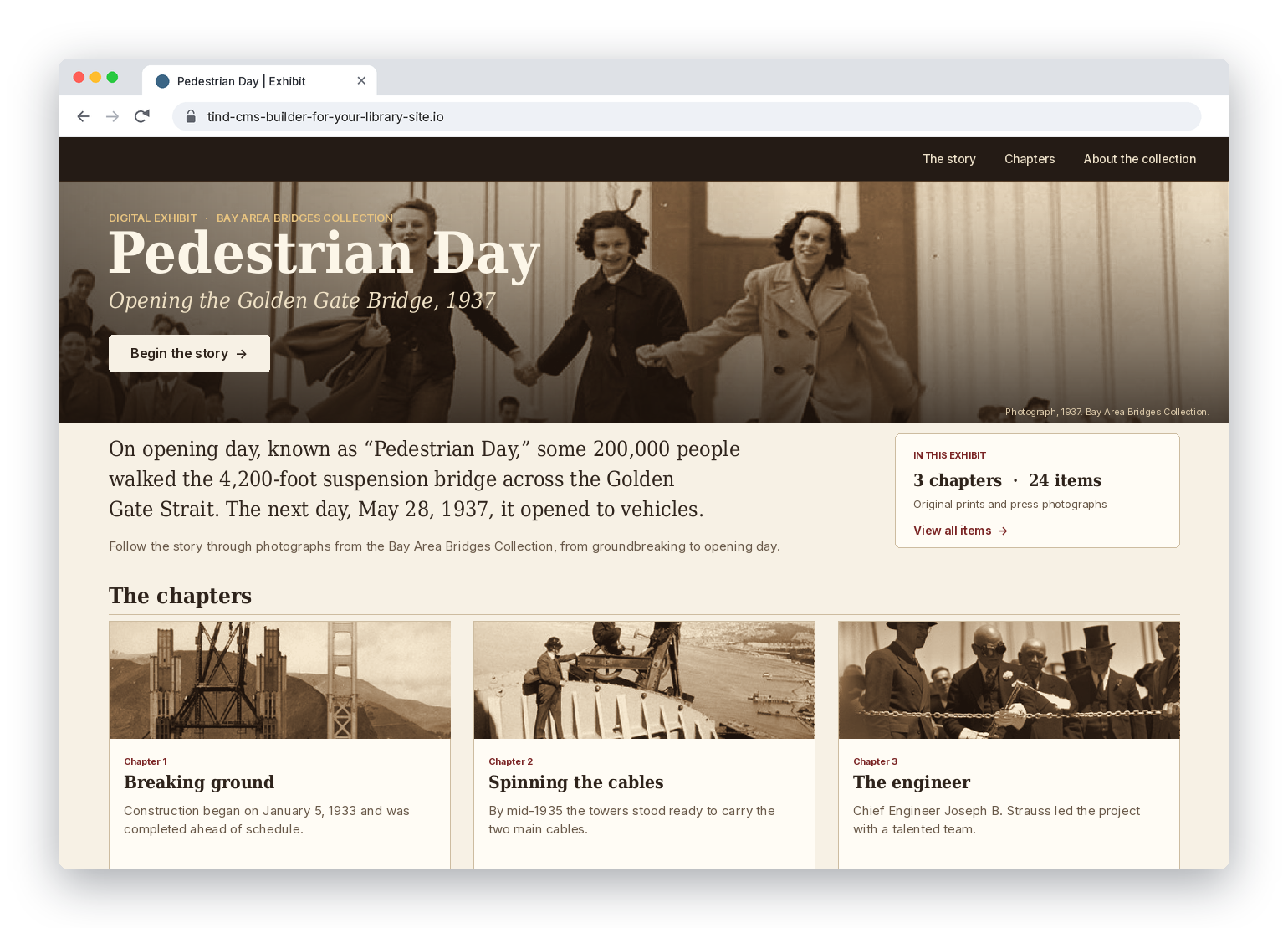
Search returns a list while an exhibit explains why it matters. Create landing pages to exhibit special content to showcase live records from your archive, whether for an anniversary, a donor’s gift, a class assignment or a seasonal highlight:
Items come straight from your archive, so you never keep a second copy in step
Customize the page layout and bring a story to life with images and more
Built by the curators who know the collection, with no developer needed
Create and update any library info page, without the wait
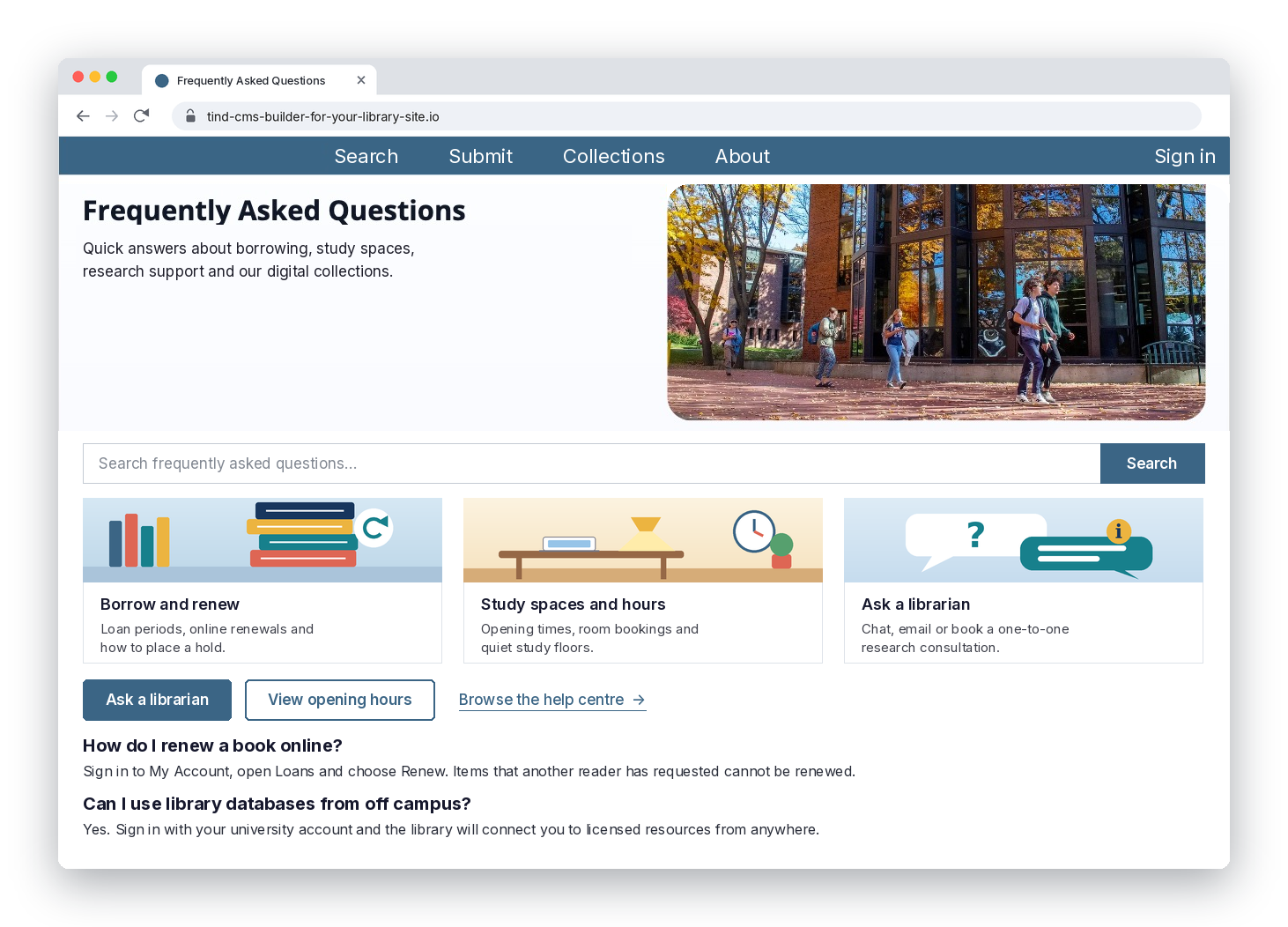
With TIND CMS you can create, brand, and update info pages for your library, such as about, help, policies, FAQs, deposit guides and project pages:
Clear, well-structured pages with headings, lists, callouts, and more
Your institution's fonts, colors, and header style on every page
Give colleagues editor access to specific pages they work on
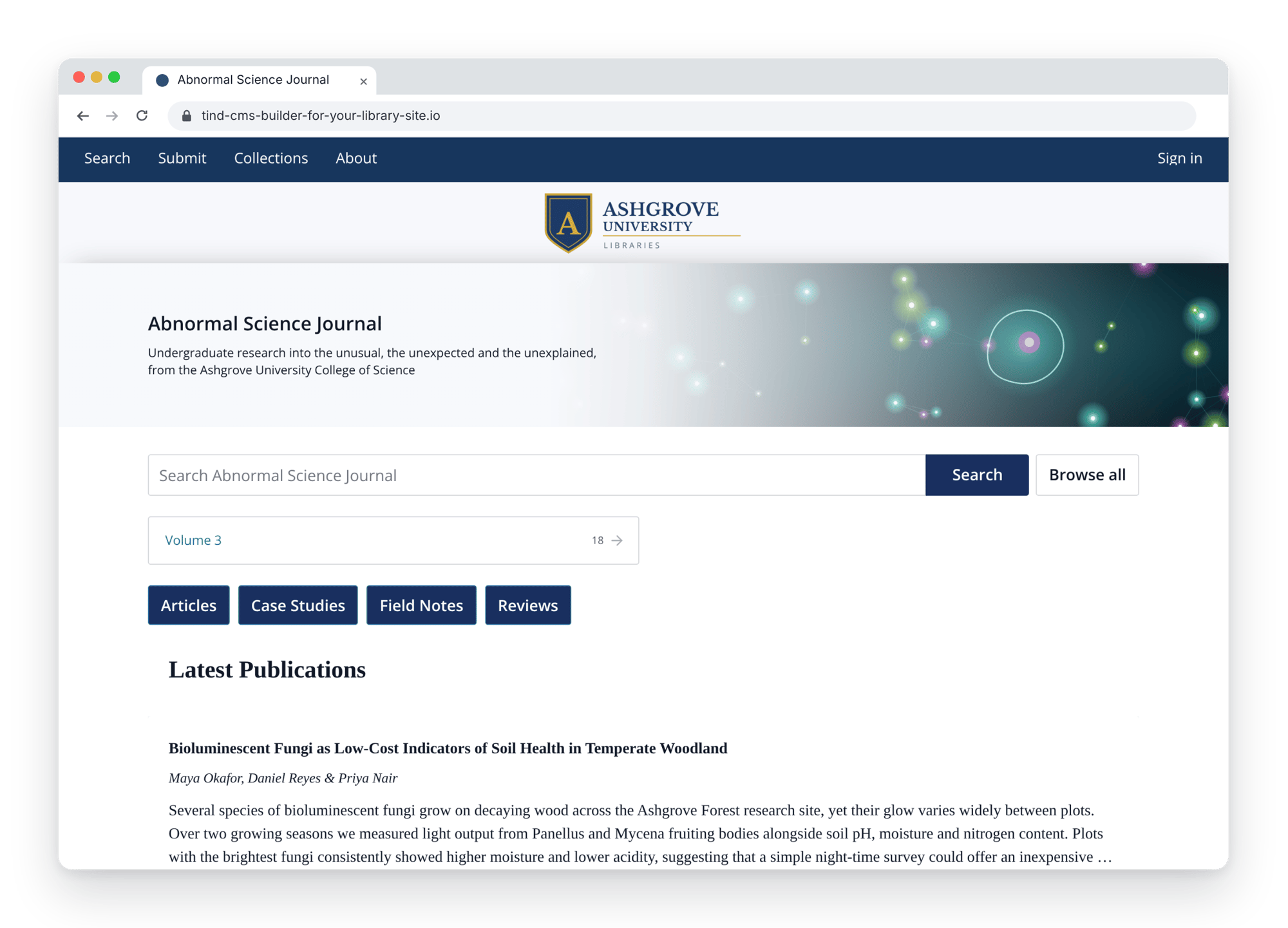
Build journal-style pages to showcase articles and publications
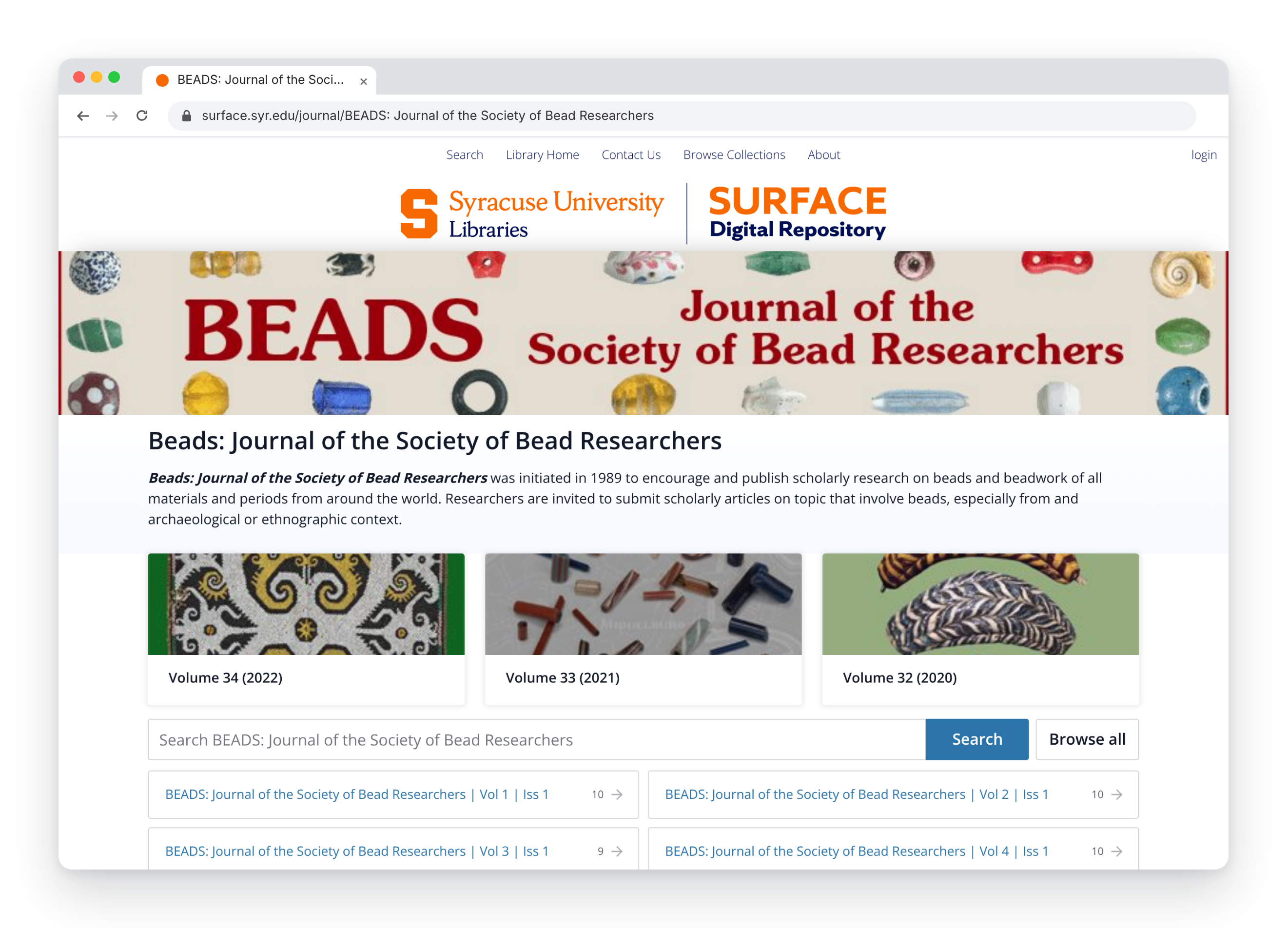
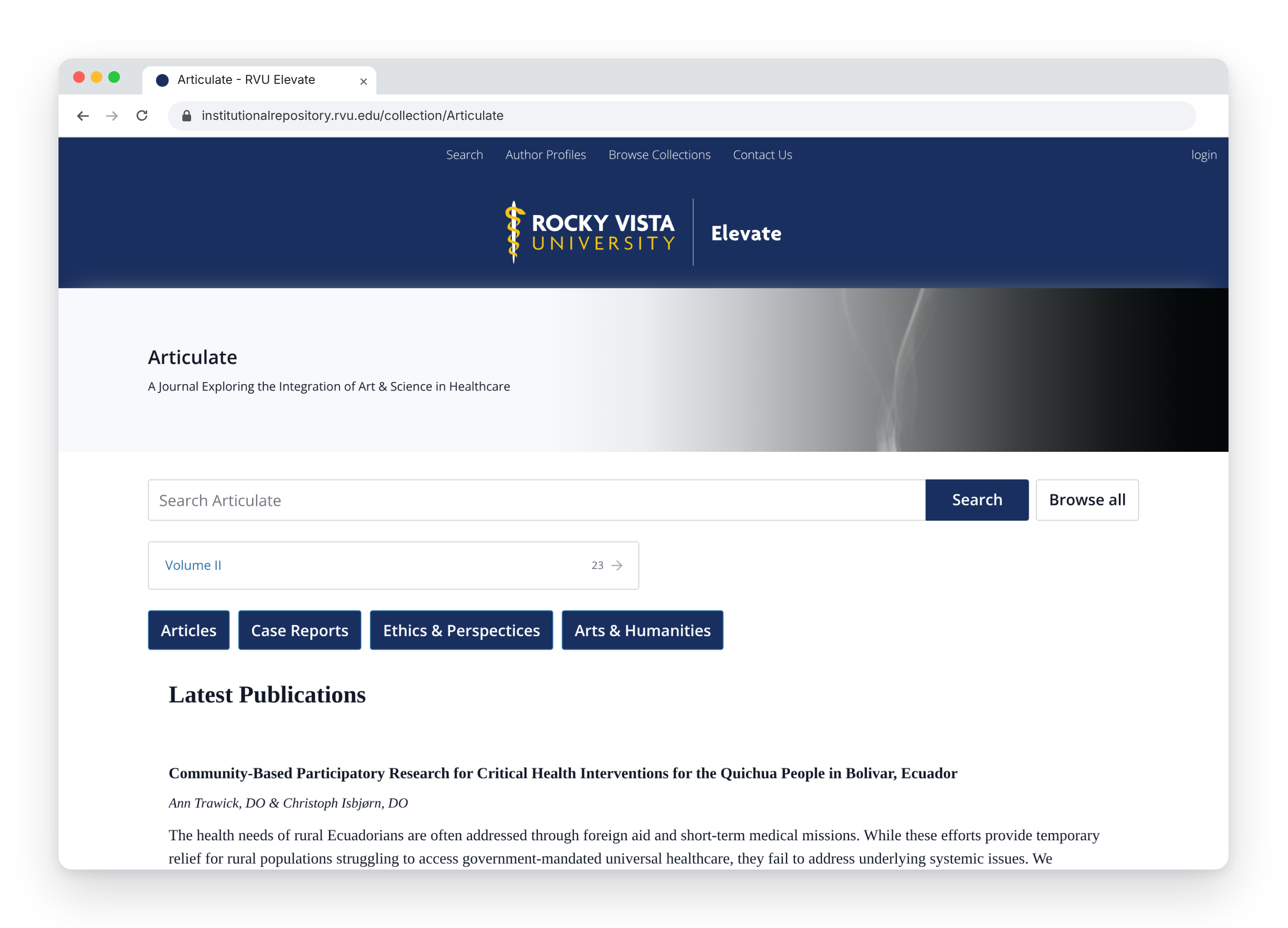
Host editorial-style publications in your repository? Use the same TIND CMS drag-and-drop modules to create a dedicated page that looks and feels like a journal or publication homepage, connected to the articles in your repository:
Give the page its own banner and overview, so readers know where they’ve arrived
Add the latest articles and link to volume collections
Articles stay in your repository, beside the rest of your research output
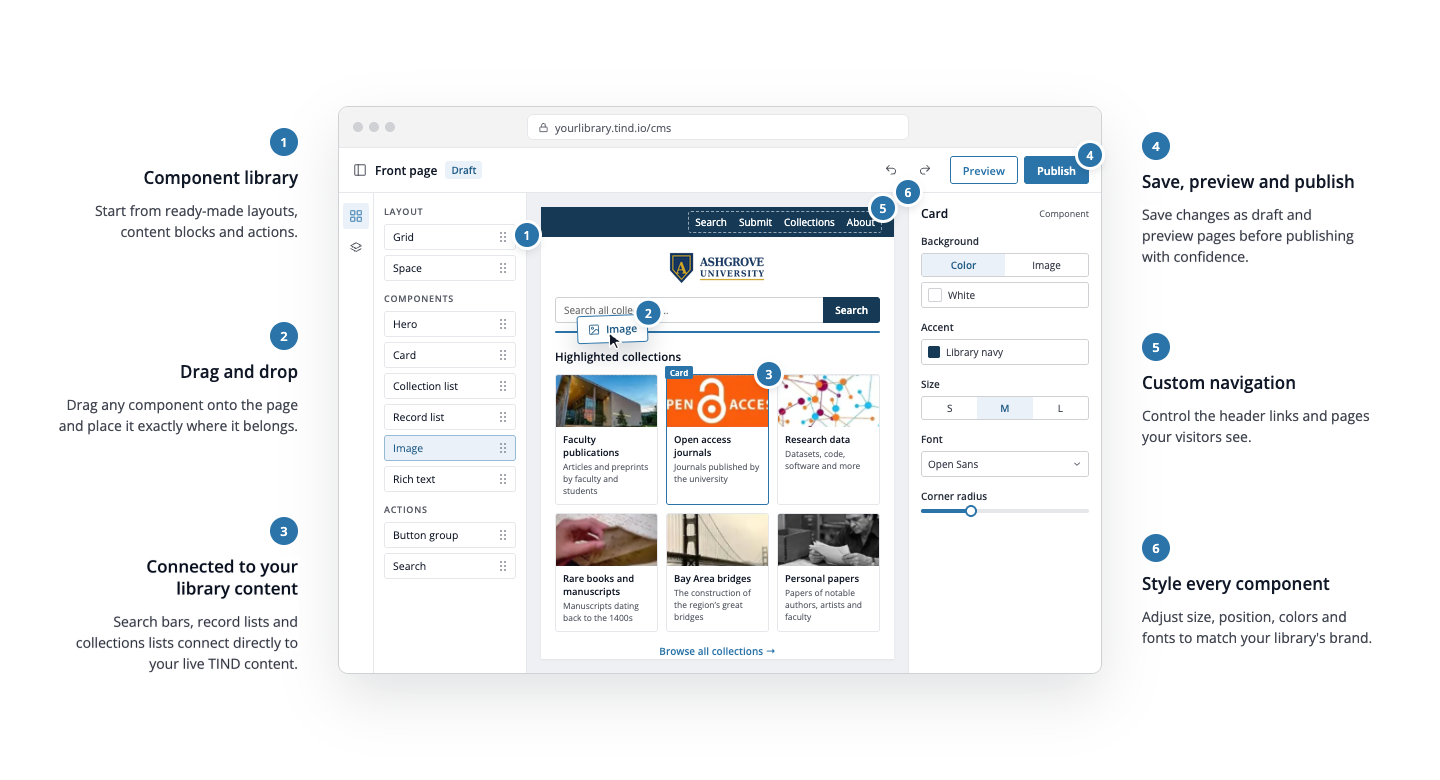
An intuitive builder with no coding required
Create pages via drag-and-drop modules or a trial AI tool
Add unique branding to different collections and pages
Manage and publish pages with confidence
TIND CMS has an easy-to-use drag-and-drop editor with customizable layouts and prebuilt modules including rich text, images, record lists, search bars, buttons, and more. Alternatively, use our trial AI design and assemble assistant to quickly build new pages.
TIND CMS enables you to add site-wide brand colors and preferences so pages adhere to your institution's guidelines. You can also add unique branding to different page types that require their own look, such as collections, exhibits or journal pages. Institutional branding can be minimized by removing the global site header and logo.
Manage draft and published pages from the CMS Dashboard, with access controls for page-level editing, preview, saving, and administration tools. You can also change page URLs for use in public promotion, with automatic redirects when a page's URL is changed, so users are always taken to the right place.
Accessible by design
Every TIND CMS module is built and tested against WCAG 2.2 AA, so pages your team creates start on an accessible foundation. Built-in tools help editors keep them that way: a Heading Audit checks your page structure, image fields prompt for alt text, header menus work with a keyboard, and you can preview every page on mobile before you publish.
Trial feature: AI design and assemble assistant
Describe it, review it, publish it
In addition to the drag-and-drop editor, TIND CMS is trialing an AI design and assemble assistant to save you time when:
Designing pages: Describe the layout you have in mind and the assistant designs a page with a combination of modules and custom components to match your instructions. Review it, adjust it, and publish when ready.
Assembling pages: Builds your page from TIND CMS modules and arranges them for you; ask for a hero, three featured collections and a search box, and the assistant does the work for you.
Pages that keep up with your live collections
TIND CMS runs inside your TIND platform, so your pages draw on the same live records, collections and search as the rest of your site, whichever of the catalog, archive, repository or research data you run. There is nothing to re-enter and nothing to keep in sync.
Live record lists
Put records from your TIND site on any page. Pick individual records, a whole collection or any search, and the list updates itself.
Search from any page
Add a search box to any page to directly search against your TIND repository, archive or catalog. You can limit the search to one collection or pre-set parameters, and any new records you add to TIND show up in results automatically.
Collection pages that fill themselves in
Publish a collection page and it shows the number of records, a search box and your most recent additions, with no banner or text needed. Your existing collections are already listed, ready to brand.
Links that keep working
Collections are linked by system ID, so changing a collection’s display name doesn’t break the pages and links that point to it. Change a CMS page’s address and the old link redirects automatically.
See TIND CMS in action
TIND CMS is officially launching soon...
See how early adopter customers are already using TIND CMS to showcase collections and journals:
Fill in the form to request a demo. If your library doesn't yet use TIND, select the product/s you are interested in seeing the TIND CMS feature in action with, your current systems, and your migration timeline, so we can tailor the demo for you.